Introducing CoreBookings by KRIYA. Same team. More power. Learn more →
View Categories

If I want someone to pay me on a fortnightly basis for unlimited attendance, how should I do it?

Set up a recurring membership that bills every fortnight and allows unlimited class attendance. Clients pay automatically through Stripe until the membership is cancelled.

Short answer #

Create a membership under Settings → Passes with:

  • Recurring membership (auto-billing) turned on
  • Billing interval set to Fortnightly
  • Number of Visits set to 999 for unlimited attendance

Then sell that membership to the client from their profile. CoreBookings creates a Stripe subscription and renews it every fortnight.

Before you start #

  • Plan: recurring client memberships need Growth or Scale. They are not available on Solo or Starter.
  • Stripe: connect Stripe under Settings → Payments before selling memberships. Recurring memberships bill by card through Stripe, not cash or bank transfer.
  • One-off vs recurring: use a recurring membership for fortnightly auto-billing. A one-off visit pack will not charge the client again each fortnight.

Create the fortnightly membership #

Where: Settings → Passes → Passes & Memberships

  1. Click + Create Pass.
  2. Enter a clear Pass Name (for example Fortnightly Unlimited Membership).
  3. Set Price to your fortnightly fee.
  4. Set Number of Visits to 999. The help text says to use 999 for unlimited visits.
  5. Turn on Recurring membership (auto-billing).
  6. Set Billing interval to Fortnightly.
  7. Leave Expiry Days empty. For recurring memberships, leave this empty so the membership stays active while payments succeed.
  8. Set Visibility to Public if clients should buy it online, or Hidden if you will sell it from the dashboard only.
  9. Click Create Pass.
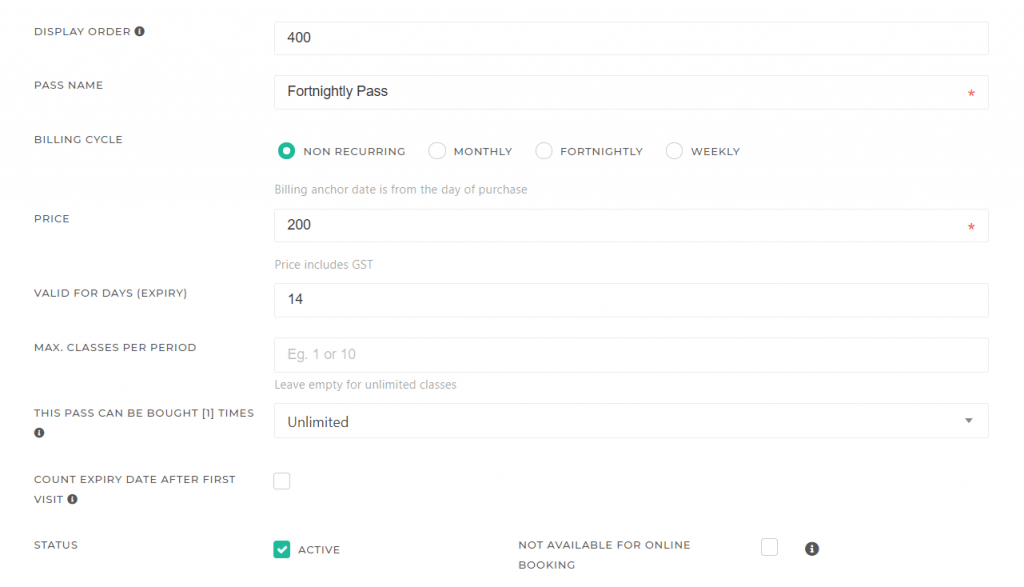
CoreBookings pass editor with Recurring membership, Fortnightly billing interval, and 999 visits
Fortnightly unlimited membership settings in the pass editor

Sell the membership to a client #

  1. Open Clients and click the client.
  2. Use Sell pass / membership / POS and select your fortnightly membership (it shows a Membership badge).
  3. Complete payment with card / Stripe, ideally using a saved card on file.

CoreBookings creates a Stripe subscription and links a membership pass to the client. Renewals charge automatically each fortnight.

How unlimited attendance works #

With 999 visits, the client can book classes without using up a fixed visit count each fortnight. The membership stays active while billing succeeds.

If you want a cap instead (for example 10 classes per fortnight), enter that number in Number of Visits rather than 999.

Memberships renew automatically until the client cancels. Clients can manage their card and membership in the secure portal from the mobile app.

Manage renewals and cancellations #

On the client profile, membership passes show a Membership badge and actions such as Pause, Resume, or Cancel at period end.

  • Pause membership: stops future automatic charges until resumed.
  • Resume membership: restarts billing on the next cycle.
  • Cancel at period end: the client keeps access until the current paid period ends, then renewals stop.

If a card payment fails, Stripe retries according to its rules. Check the subscription in Stripe if billing does not recover.

Related help #