Introducing CoreBookings by KRIYA. Same team. More power. Learn more →
View Categories

Can I add a cash payment to classes owed by clients and not just a credit card payment?

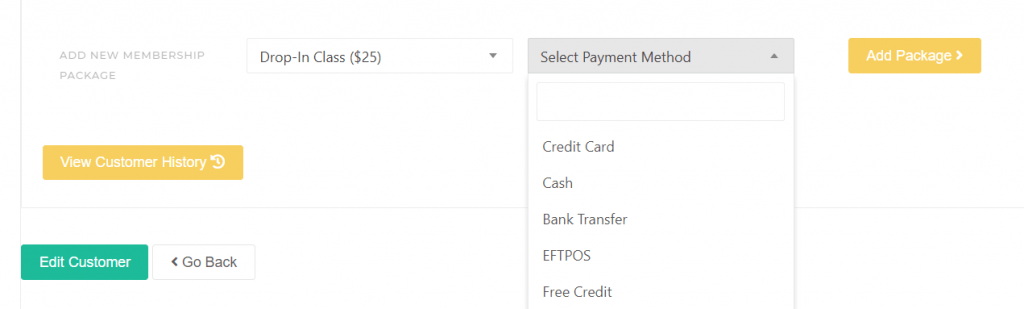
Yes. CoreBookings supports desk payments as well as card payments. You can sell passes with Cash, EFTPOS, or External in POS, and record cash for outstanding Pay Later bookings on the client profile.

Short answer #

You are not limited to credit card payments. When a client owes for classes, you can either:

  • Sell a pass and take payment with Cash, EFTPOS, External, Stripe, Gift Card, or Free in Point of Sale.
  • Settle Pay Later bookings with Collect Pay Later payment on the client profile using Cash, EFTPOS, or Other.

Sell a pass with cash at the desk #

Where: Clients → open the client → Sell Pass

  1. Open the client profile.
  2. Click Sell Pass to open Point of Sale.
  3. Select the pass or membership the client is buying.
  4. Under Payment Method, choose Cash, EFTPOS, or External.
  5. Complete the sale.
CoreBookings Point of Sale with Cash payment method selected
Choose Cash or another desk payment method in POS

Once the pass is sold, the client can use it for future bookings. CoreBookings records the transaction with the payment method you selected.

Settle Pay Later bookings with cash #

If your studio has Pay Later (book without pass) enabled, you can add a client to class without a pass and settle later at the desk.

  1. Add the client with Add with Pay Later from the class booking flow.
  2. Open their client profile. A Pay Later balance banner appears when they owe class credits.
  3. Click Collect payment.
  4. In Collect Pay Later payment, enter Credits to apply, choose Cash (or EFTPOS / Other), then click Confirm.

Find clients who owe for classes #

Where: Clients

  • On the Clients page, tick Pay Later → Outstanding balances only to see clients who still owe for pay-later bookings.
  • Open a client profile to review their Pay Later balance and collect payment.
  • Check Reports → Transactions to review past cash, EFTPOS, and card sales.
CoreBookings Clients page with Pay Later Outstanding balances only filter enabled
Filter the client list to clients with outstanding Pay Later balances

What cash cannot do #

  • Recurring memberships must be billed through Stripe. You cannot set up automatic fortnightly or monthly renewals paid only by cash.
  • Cash sales are recorded in CoreBookings, but money still moves outside the system (for example into your till or bank account).
  • If a client already attended on Pay Later, selling a new pass does not automatically clear the Pay Later balance. Use Collect Pay Later payment or settle the owed credits separately.

Related help #