
Yes. A customer can use one CoreBookings account at two or more studios. You sign in once, then search, book and buy passes at any studio on CoreBookings.
How it works #
Once a customer has a CoreBookings account, their email is recognised across every studio on the platform. That first account might come from signing up in the app, booking a class, buying a pass, or a studio adding them in the dashboard.
When that customer books a class or buys a pass at a new studio, their account is linked to that studio automatically. They do not need a separate sign-up for each studio.
If they try to create a new account with an email that is already registered, the app shows Email already in use and asks them to sign in instead.
One login for every studio #
The CoreBookings app uses one email and password for all studios. There is no studio picker at sign-in.
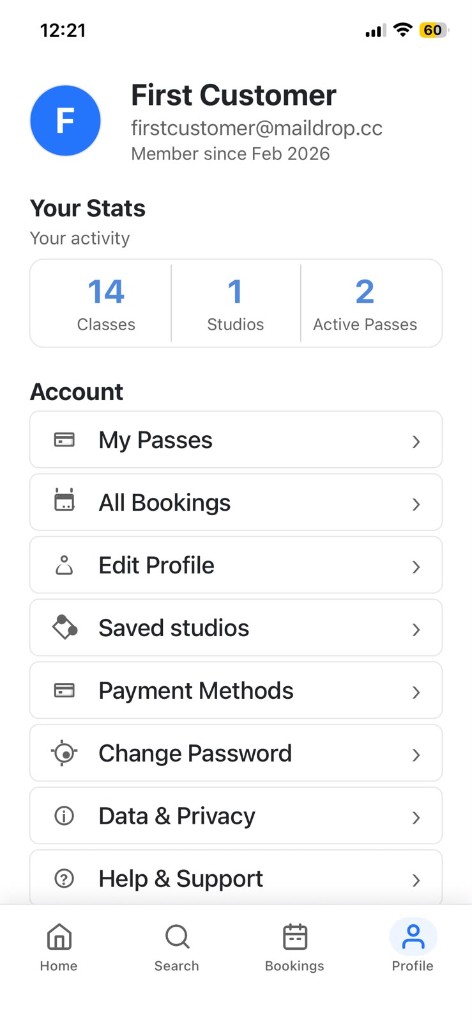
- Use Search to find any studio and open its schedule to book.
- Studios you have booked with or bought passes from appear under Profile → Saved studios.
- Profile → All Bookings shows your bookings across every studio.
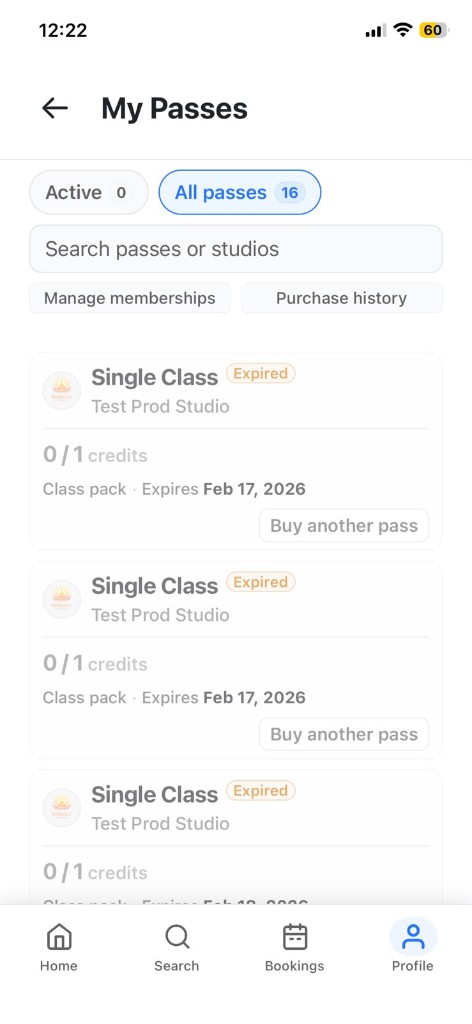
- Profile → My Passes lists passes from all studios. Each pass shows which studio it belongs to.
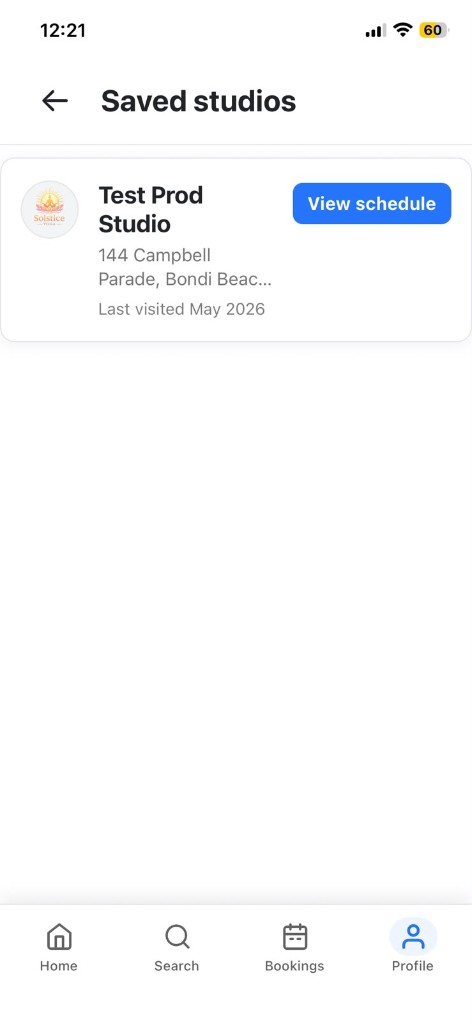
You do not need to log out of one studio before using another. Stay signed in and browse studios from Search or your saved list.
Passes and payment methods #
Passes are not shared between studios. A pass bought at Studio A can only be used at Studio A. When booking at a different studio, only that studio's passes are offered.
Saved payment cards are also managed per studio, because each studio has its own Stripe account. Go to Profile → Payment methods to view or update cards for each studio.
Note: If a customer uses a different email address for each studio, they will have separate accounts and must sign in with the matching email for each one.
For studio owners #
A customer linked to your studio appears in your Clients list. If they also attend another CoreBookings studio, they only appear in your list after they have booked, purchased or been added at your studio.
If you add a client whose email already exists on CoreBookings, the system links their existing account to your studio rather than creating a duplicate.


