
Opening a CoreBookings account takes a few minutes. You sign up on the studio dashboard, verify your email, then complete the onboarding checklist so clients can book and pay you.
Before you start #
If you want to explore CoreBookings first, you can browse the website:
When you are ready, use Start Free Trial on the website or go directly to the signup page (see below). No credit card is required to create your account.
Start your free trial #
From the CoreBookings website, click Start Free Trial (or Start a trial in the footer). This opens the studio dashboard signup page:
https://dashboard.kriya.com.au/signup
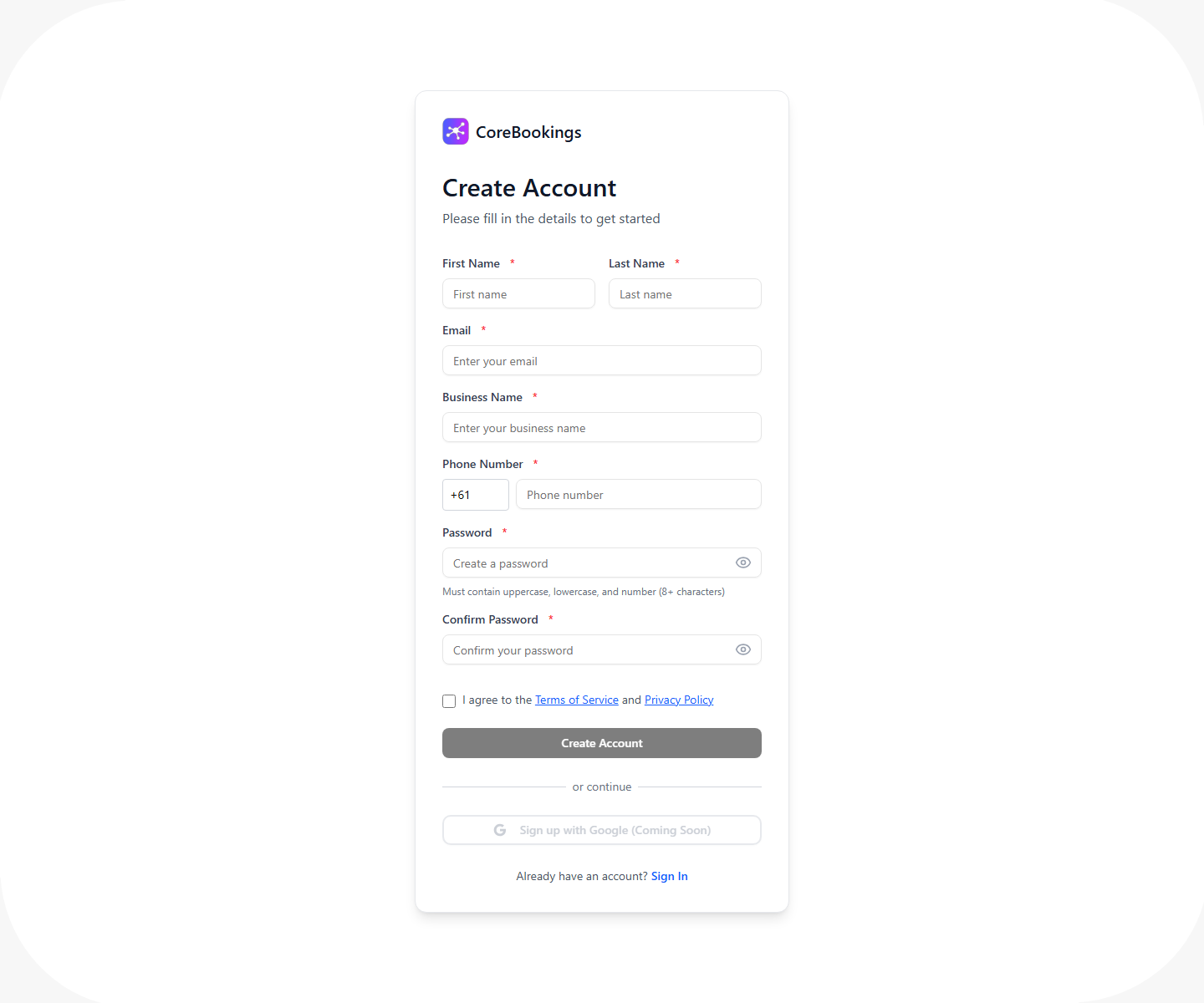
The page heading is Create Account with the subtitle Please fill in the details to get started.
Create your account #
Complete all fields on the signup form, then click Create Account:
- First Name
- Last Name
- Business Name (your studio name)
- Phone Number (country code defaults to +61)
- Password (must contain uppercase, lowercase, and number; 8+ characters)
- Confirm Password
- Tick I agree to the Terms of Service and Privacy Policy
There is no plan picker during signup. Your studio is created when you submit the form.
If the email is already registered, CoreBookings shows: This email already has a CoreBookings account. Log in with that email to add your studio. Use Go to sign in to log in and add another studio instead.
Verify your email #
After you submit the form, CoreBookings sends a verification link to your email. You must verify before you can sign in.
On screen you will see:
- Account created! Check your email to verify before signing in.
- Verify your email to activate your dashboard
- We sent a verification link to your email address
Click the link in the email. After verification, you are redirected to the login page, which may show: Email verified. Please sign in.
If you did not receive the email, use Resend email on the signup success screen before signing in.
If you try to sign in before verifying, you will see: Please verify your email before logging in.
Sign in and set up your studio #
Sign in at /login/ with the email and password you created.
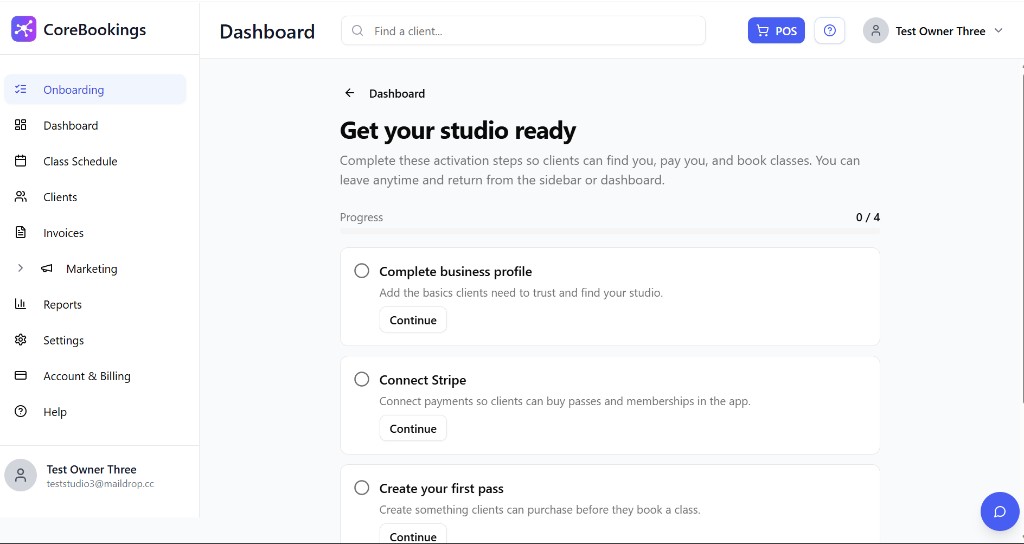
On your first login, CoreBookings opens Onboarding with the heading Get your studio ready. Complete these four activation steps:
- Complete business profile
- Connect Stripe
- Create your first pass
- Schedule your first class
Each step has a Continue button. When all four are done, the page shows Your studio is live.
What's included in your trial #
New signups get a 30-day Growth trial with full Growth plan features at no charge during the trial.
When the trial ends, subscribe to keep Growth (or Scale) features. If you do not subscribe, your account moves back to the Solo plan. You can review or change plans anytime from Account & Billing in the dashboard.
Already have a CoreBookings account? #
If you already manage one studio and want to open another, do not create a second signup with the same email. Sign in instead, then use the flow to add a new studio from your existing account.
On the signup page, click Already have an account? then Sign In.
Want help before you sign up? #
If you prefer a walkthrough before creating an account, request a demo or contact us. Our team can answer questions about features, pricing, and getting your studio live.


