
Table of Contents
Use Clients at risk (passes) to find clients whose active pass is expiring soon, nearly out of visits, or both. This helps you follow up before they drop off.
Open the report #
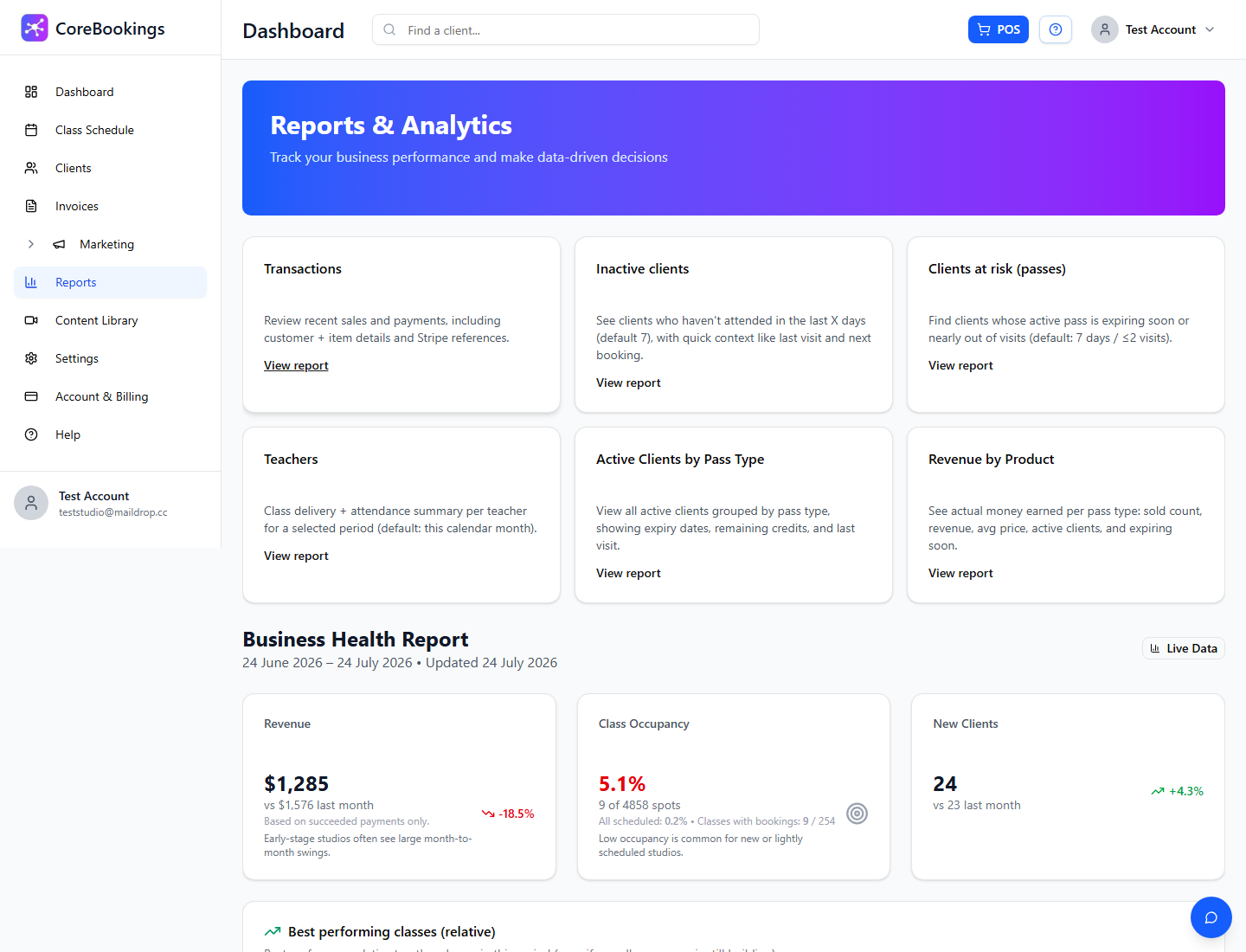
Where: Reports → Clients at risk (passes)
- Open Reports in the left sidebar.
- Click the Clients at risk (passes) tile (or View report).
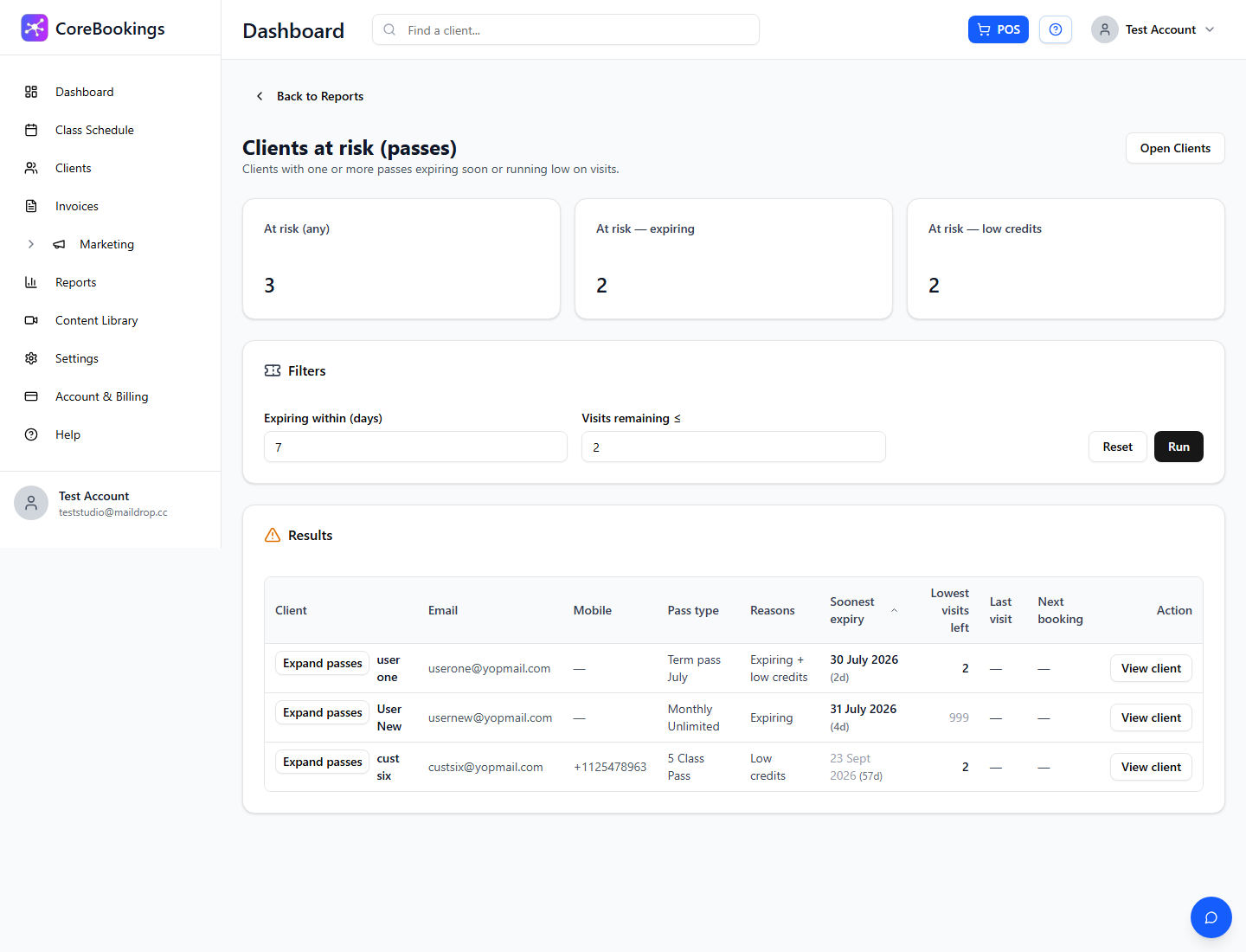
The page title is Clients at risk (passes). Use Back to Reports to return to the hub.
Set risk filters #
In Filters:
- Expiring within (days) — default 7. Clients with a pass ending within this many days appear.
- Visits remaining ≤ — default 2. Clients with this many visits (or fewer) left on a limited pass appear.
- Click Run to refresh, or Reset to return to 7 days / 2 visits.
Unlimited memberships are not treated as “low visits”; they can still appear when they are expiring or cancelling.
Read the results #
Results are grouped by client. Expand a client to see the at-risk pass(es), reason (expiring, low credits, or both), last visit, visits in the last 30 days, and next booking when available.
Click a client name to open their profile and follow up (sell a pass, extend expiry, or message them).


